
Software Patents vs. GUI Design Patents
Developing a mobile application often requires significant investment in time, resources, and technical expertise. One of the most common questions app founders ask is how to protect an app from being copied or imitated. While copyright and trademarks are often mentioned first, patents can play a critical role in a robust mobile app intellectual property strategy.
This article explains how to protect a mobile app through a patent, focusing on the two main patent-based approaches available: software patents and GUI (Graphical User Interface) design patents. We also explain when each option makes sense, their limitations, and why a patentability analysis is usually the first step.
Can You Patent an App?
A common misconception is that an app itself can be patented as a standalone product. In reality, patents do not protect apps as such. Instead, they protect specific inventions implemented through the app or, in the case of design patents, the visual appearance of the user interface.
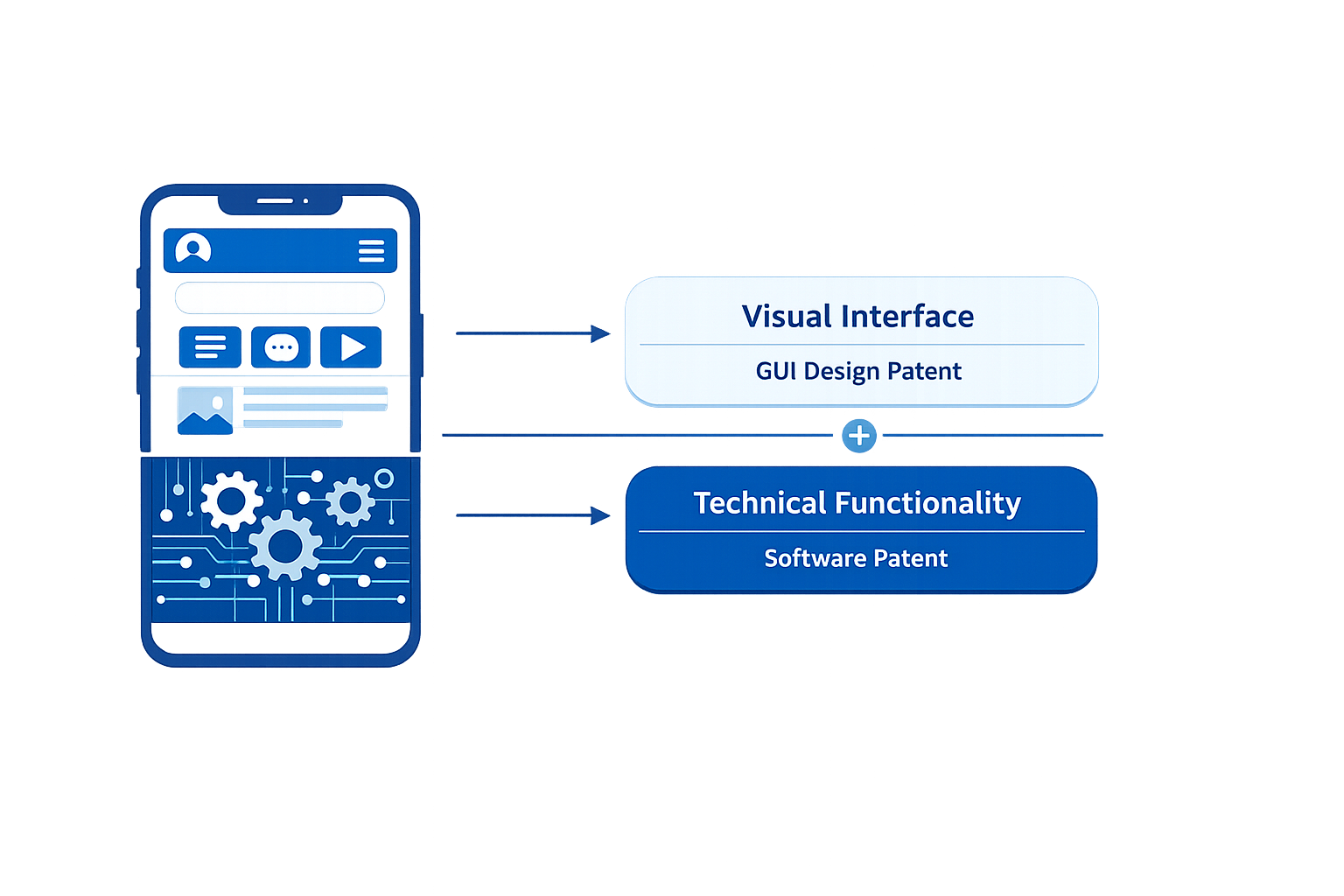
There are two primary ways to pursue app patent protection:
– Filing a software patent for the technical solution implemented by the app
– Filing a GUI design patent to protect the visual appearance of the app
Each approach protects different aspects of the app and involves different costs, timelines, and legal considerations.
Key Insight
An app cannot be patented as a whole, but specific technical solutions or the GUI design of the app may be protected through patents.
Protecting an App with a Software Patent
A software patent for apps focuses on the technical solution implemented through the app rather than the app itself. This may include specific computer-implemented processes, data handling mechanisms, system architectures, or technical workflows that produce a demonstrable technical effect when executed by a computing system.
Software patents are complex and are not accepted in every country. In many jurisdictions, app-related inventions are frequently rejected for being considered abstract ideas. For this reason, conducting a patentability analysis before filing a patent application for an app is strongly recommended.
In general, a software-based invention may be patent eligible if it improves computer functionality, for example by:
- Enabling computations that were previously unavailable
- Increasing the speed or efficiency of existing computing processes
- Reducing the amount of computing resources required to perform a task
If the invention is directed to an abstract idea, it may still be patentable if additional technical elements transform it into a patent-eligible application. These elements may include:
- Being necessarily rooted in computer technology
- Solving a problem that does not arise in traditional, non-digital environments
- Using unconventional components or unconventional technical arrangements
- Avoiding claims that preempt all possible implementations of the idea
If, however, the app merely automates a generic business process or implements mathematical algorithms using standard computing tools, it is likely to be considered an abstract idea and rejected.
For a broader overview of invention patents and how they differ from design protection, see Patentarea’s guide on invention patents:
https://www.patentarea.com/patent-blog/invention-patents-full-guide/
Key Insight
Software patents for apps are possible but highly jurisdiction-dependent and require a strong technical contribution beyond abstract ideas.
Protecting an App with a GUI Design Patent
A GUI design patent protects the visual appearance of an app rather than its technical functionality. This includes screen layouts, icons, menus, transitions, and the overall look and feel of the user interface.
This approach is widely used by major technology companies such as Apple and Samsung to protect the visual identity of their apps. Compared to software patents, GUI design patents are generally faster to obtain and involve lower costs.
Key advantages of GUI design patents include:
-
Faster examination timelines
-
Lower costs compared to utility or software patents
-
A clearly defined and visual scope of protection
However, GUI design patents do not protect how the app works. They only protect how it looks. Competitors may still replicate the underlying functionality as long as the interface design is not substantially similar.
In practice, particularly in the United States, GUI design protection requires careful planning. Each screen or set of screens may be considered a separate design application if they represent distinct visual embodiments. As a result, protecting a complete app interface through multiple design filings may increase overall costs if the filing strategy is not optimized from the outset.
To manage this, it is common to group related screens into a single application when possible, focusing on consistent visual elements and interface transitions. A strategic filing approach is essential to balance the scope of protection and cost efficiency.
For a detailed explanation of what design patents cover, how they are filed, and common mistakes to avoid, see Patentarea’s complete guide to design patents:
https://www.patentarea.com/design-patents-full-guide/
Key Insight
GUI design patents are a practical and cost-effective solution to protect the visual design of an app, even when software patent protection is not available.
Patent Eligibility Requirements for Apps
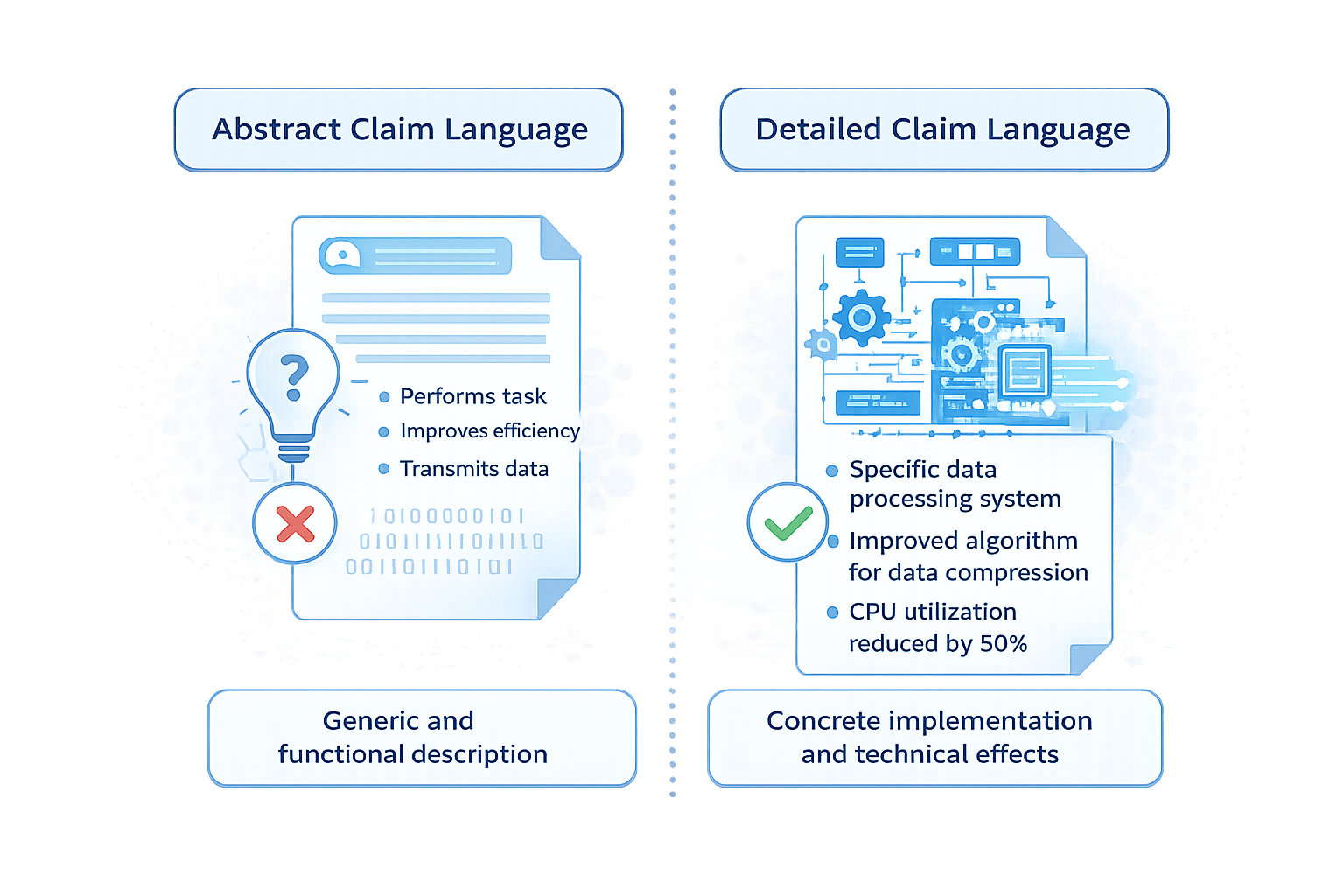
In practice, whether an app is considered an abstract idea often depends on how the patent application is written. Applications drafted in broad or functional terms are more likely to be rejected, while applications that focus on specific technical challenges and implementations have a higher success rate.
Key drafting considerations include:
- Clearly identifying the technical problem being solved
- Explaining how the solution operates at a technical level
- Avoiding purely result-oriented or business-focused language
- Including system architecture, data flow, and technical effects
This is particularly important when preparing a patent application for an app, as examiners closely scrutinize software-related claims.
For more guidance on drafting strong patent applications, see Patentarea’s patent drafting guide:
https://www.patentarea.com/patent-blog/patent-drafting-full-guide/
Key Insight
The quality and technical depth of the patent drafting can determine whether an app invention is considered patent eligible.
Patentability Analysis: Why It Matters
Because of the uncertainty surrounding software patent eligibility, a patentability analysis is essential before filing. This analysis evaluates whether the app invention meets novelty, inventive step, and patent-eligible subject matter requirements.
A patentability analysis helps to:
- Identify potential prior art risks
- Decide between a software patent or GUI design patent strategy
- Optimize claim scope and technical focus
- Reduce the risk of costly rejections
Conducting a prior art search is a key part of this process. Patentarea offers a detailed guide on how to conduct patent searches across major patent databases worldwide:
https://www.patentarea.com/patent-blog/patent-search-databases-worldwide-guide/
Key Insight
A patentability analysis is a critical decision-making tool when considering app patent protection.
Strengthen Your Global IP Strategy with an App Patent
Protecting a mobile app requires a strategic and jurisdiction-specific approach. Whether through a software patent, a GUI design patent, or a combination of IP rights, the right strategy depends on the technical nature of the app and your business goals.
At Patentarea, we help inventors and companies evaluate how to patent an app, perform app patentability analysis, and define global filing strategies tailored to each jurisdiction.
Strengthen your global IP strategy by choosing the right patent path for your app.
Protect Your App with the Right Patent Strategy
From software patents to GUI design patents, our experts help you define and execute the best protection path for your app.